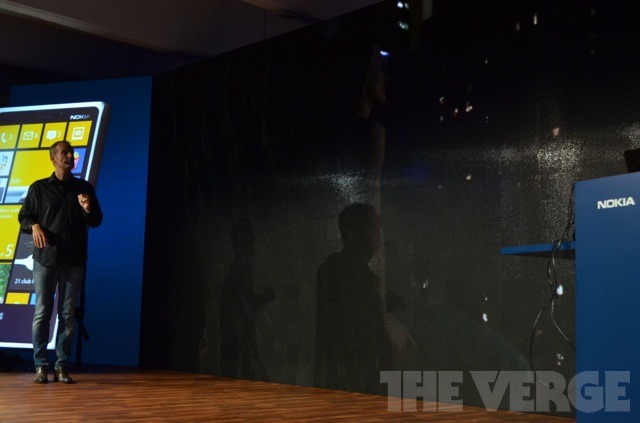
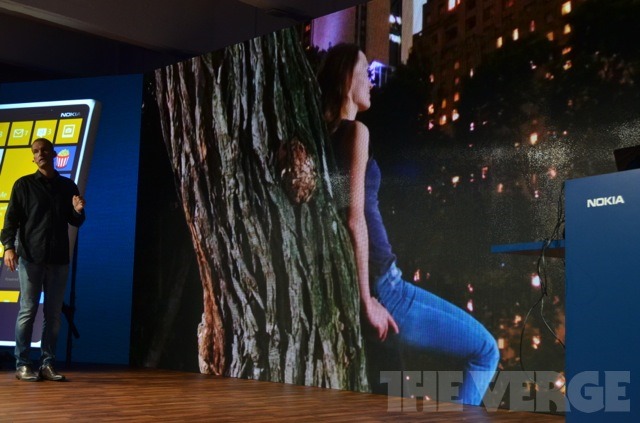
Microsoft/Nokia Windows Phone 8 Event

So, the Windows Phone 8 OS has been officially unveiled by Microsoft, and the new hardware from Nokia has also been revealed.  There will be lots of in-depth, comprehensive articles floating on the Internet (the best of which I’ll link to here), but here are the bullet-point highlights!


WINDOWS PHONE 8

Slightly disappointing, as this event was a mere tease at Windows Phone 8. Microsoft have stated that a full launch event will happen in the near future. However, in addition to the already announced features, the following was showcased:

  • The fairly brilliant maps available on Windows Phone 7 (and 7.5) has been enhanced, and Windows Phone 8 will introduce Indoor Maps. Basically, you’ll be able to see and navigate the inside of airports, train and bus stations, shopping centres, etc – with a full directory service (location, phone number, opening hours) of all the shops inside.
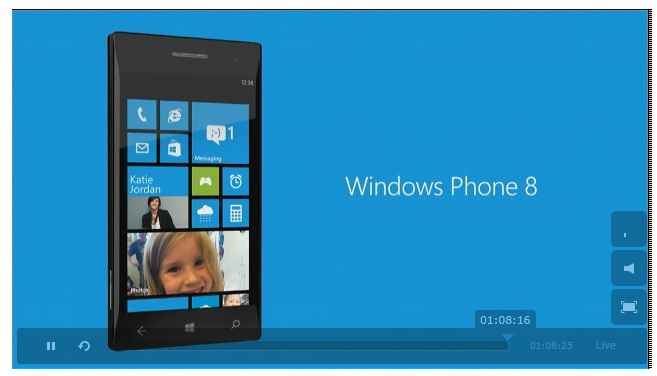
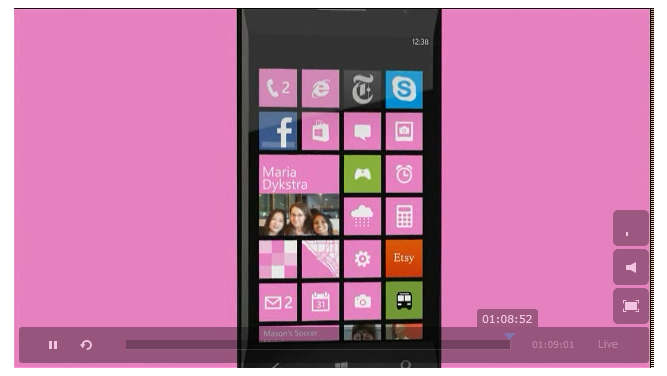
  • The new Live Tiles has been emphasised – a reminder that there are now three sizes (small, normal and double-wide). As before, information from your phone, Facebook, Twitter, LinkedIn and other sources can be knitted together into a single Live Tile for relevant, “at-a-glance” updates.
  • A minor (but *much* requested) feature – screenshots are now supported in Windows Phone 8.
  • In the camera, the Zoom Bar has been removed. You now use the more intuitive pinch-zoom gesture instead…
  • The new Camera App supports “Lenses”. These are links to specific applications that use the built-in camera app. So, third-parties can now write apps which can be directly accessed by the Camera App. Photos taken with these “lenses” are tagged with the app, and can be opened directly into that app – allowing the special features to show through. A great example is Photosynth – using the Camera Roll to browse to photos taken by the Photosynth “lens”, you can click that image and suddenly access a 360 degree panoramic view that you had taken with that app.
  • Windows Phone 8 now supports automatic, full-resolution uploads of photos to SkyDrive.  This also includes any photos taken by third-party apps or “lenses”.
  • …er, and that’s mostly it! The rest is rumour and speculation for now. The full Windows Phone 8 feature set will be unveiled later this year. Bah!


NOKIA LUMIA 920

First, there is a short promo video. Watch it now! Smile

So, the Lumia 920 is Nokia’s new flagship Windows Phone 8 device. It’ll have:

  • Nokia PureView: introduces a new assembly type for cameras built into smartphones. The entire camera assembly “floats” in the phone, stabilised by a series of tiny springs. This allows the sensor to “float” and stay still, reducing blurriness when taking low light and night shots, and also allowing very steady HD video to be recorded.
  • The PureView technology allows 5-10 times the amount of light to be captured by the sensor, compared to any other smartphone camera. This allows much better capture of images in low light or night shots. Brilliantly, The Verge have captured images of shots taken from a current market-leading handset (the Samsung Galaxy S III), and the Lumia 920.
PV1 PV2

PV3 PV4

  • Nokia PureView also records very, very stable HD video. A side-by-side comparison was shown at the event.  Suffice to say, the video footage taken by the PureView camera was incredibly smooth and steady. Nokia have now released a YouTube video demonstrating the difference in quality.
  • The Lumia 920 supports wireless charging. Adopting a current industry standard, they will be partnering with multiple organisations (such as Virgin Atlantic, The Coffee Bean & Tea Leaf, and other venues) to offer “pads” where you can simply place your phone and have it charge.  As Nokia support the Qi industry standard, expect compatibility with other manufacturers’ devices when they come into the market.
  • A great demo of the ease of wireless connectivity was given when Nokia unveiled a new speaker from JBL. You just tap the phone with the speaker system to allow the devices to pair and the music to automatically stream from phone to speaker wirelessly (using NFC to pair and Bluetooth to stream – but all that happens automatically, as you just need to tap them together). Then, just place your phone on top of the speaker and it’ll wirelessly charge. Neat! Smile
  • Nokia Maps and Nokia Drive continue to be offered to Lumia owners. Both apps allow full offline access of information, which is especially useful if you’re travelling abroad and don’t want to pay roaming charges.  Maps offers walking directions and a directory service of shops/places, and Drive offers full sat-nav capabilities…
  • Nokia City Lens offers an “augmented reality” view showing distance and information on shops, stations, landmarks, etc. Just hold your phone up where you are, and it’ll show the relevant information (The Verge has a great photo of this)
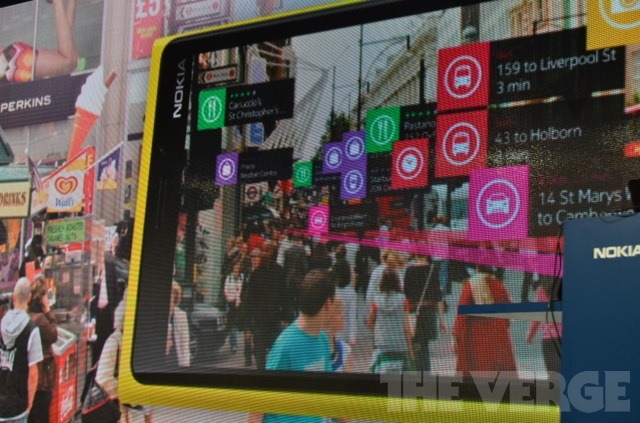
NCL

  • Nokia Smart Shoot is a new camera application – great for taking photos of landmarks or galleries (and other tourist spots). Basically, it takes a series of images and can combine them into one. So, say there is a random person who walks across your photos that you want removed – just tap that person and the software will compare multiple images, and remove the person from that one shot, combining many photos into one and removing any unwanted objects. Cool! Smile
  • Hardware-wise, the Lumia 920 sports a 4.5” curved display (similar to the subtly curved display sported by the Lumia 800).  The camera still uses a Carl Zeiss lens.
  • The display supports “super sensitive touch”, allowing you to use the touchscreen with your fingernails, or even through gloves (and not the special gloves, but any “ordinary” ones)!
  • Nokia PureMotion HD+: offers “better than HD resolution”. It’s WXGA, which is a 1280×768 resolution.
  • The PureMotion HD+ also sports enhanced ClearBlack display, which uses smart polarisers to automatically adjust the screen colour tone and brightness based on the amount of sunlight hitting the display.  This is not simple brightening and dimming of the display, but full colour, brightness and contrast adjustment, on-the-fly.
  • The PureMotion HD+ display also has an incredibly high refresh rate, ensuring that there’s no blurring at all when scrolling at speed…
  • For the display geeks, it has been confirmed that the Lumia 920 sports an IPS TFT display, and not the controversial PenTile display that the Lumia 800 sported.
  • The build-quality of the entire phone is incredibly robust! Even the keys and camera badge on the back are made from ceramic – basically making them impossible to scratch!
  • Finally, it comes in five colours – black, grey, white, red and yellow… Smile
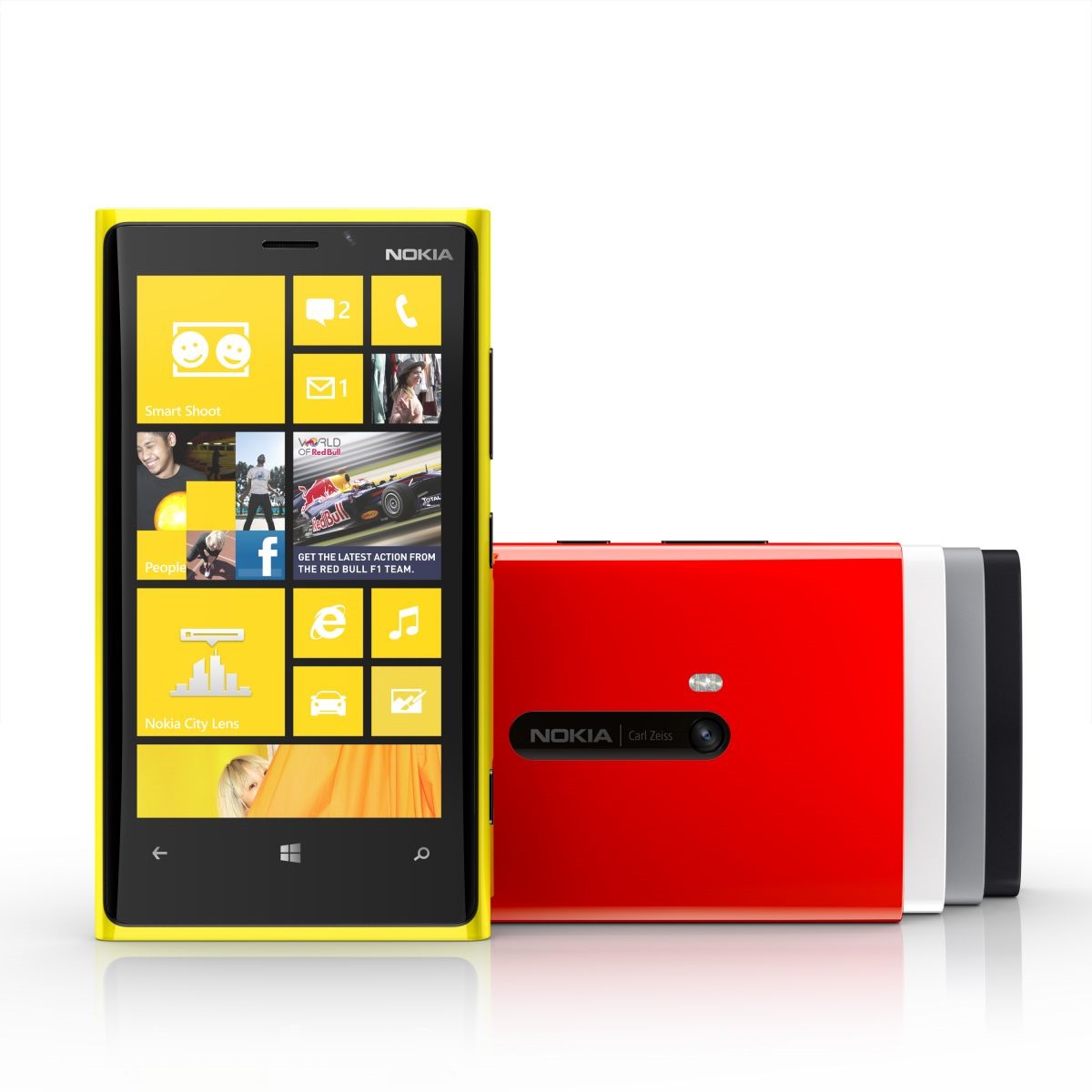
920colour


NOKIA LUMIA 820

In addition to the flagship Lumia 920, the Lumia 820 was also unveiled. Sporting a slightly smaller 4.3” display, it also comes with built-in NFC, and wireless charging. No PureView or PureMotion HD+, though.
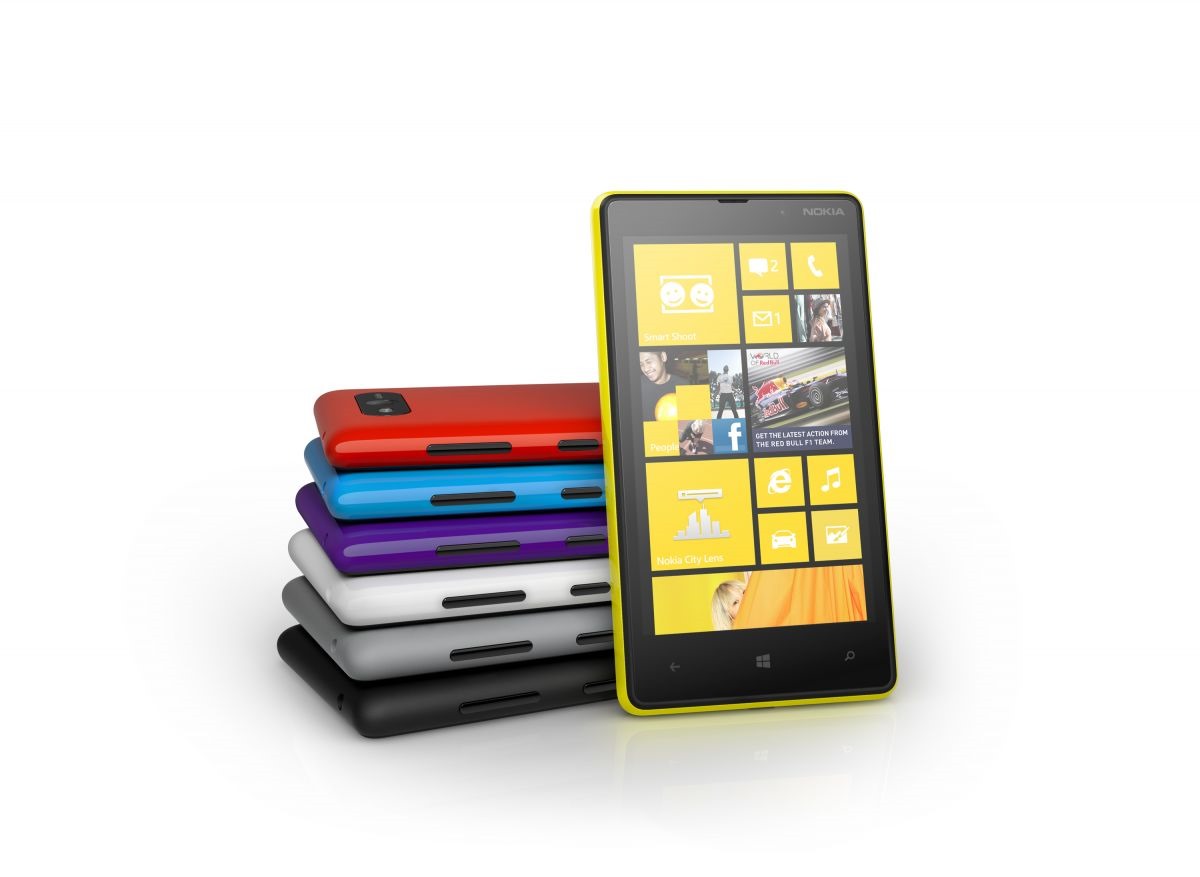
820colour


DISAPPOINTMENTS:

So, a few disappointments:

  • Pricing and availability for the Lumia 920 and 820 was not announced, other than a vague “Q4” for “selected territories”… Sad smile
  • Not all the Windows Phone 8 features were unveiled – we were given a teaser more than anything else. The full unveil will be in a forthcoming event…


IN-DEPTH ARTICLES:

Already, there are a glut of articles on today’s announcements. The best are listed here:


And that’s it, really. Hopefully the bullet-points are easier to digest, and there’s a bunch of links just above for full, in-depth articles! Smile

Toys for the Mobile Geek!

People have often asked why I carry such a large notebook bag everywhere I go…  To which I reply, “So I can carry all my toys with me, silly!” Smile

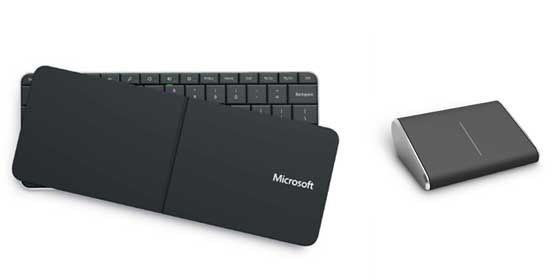
Well, Microsoft Hardware have just launched some new toys, and these will definitely be added into my mobile collection!

120730MShardware

Catch up on Microsoft’s blog entry to find out more about these sexy toys, and check out their gallery for more beautiful shots!

Buy Your Very Own Windows Phone Tat!

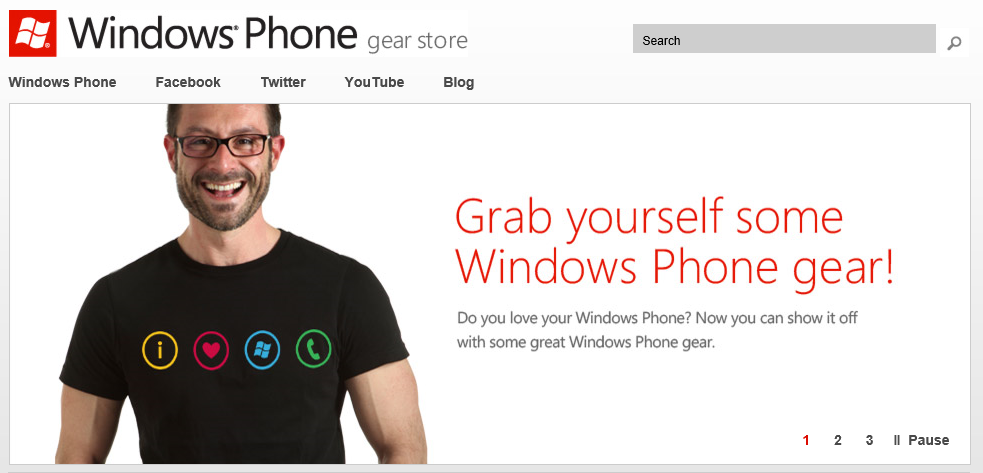
We all love Windows Phone, right? Well, what better way to express your support than to buy gear from the Official Store?

120626 WP

Windows Phone Summit: The Windows Phone 8 announcements

There’s going to be a cr@pload of information about Windows Phone 8 hitting the web, so I’m just providing the highlights of the Summit announcements in quick, chronological order. Bear in mind that these announcements were pitched at developers – new features and functionality for end-users to be announced sometime in the near future!

UPDATE 3: The Verge has published a very in-depth article on Windows Phone 8: http://vrge.co/NQh4Eb

UPDATE 2: The Windows Phone team have also blogged about the news announced today: http://bit.ly/M7ukUe

UPDATE 1: Just sticking an update here. The Windows Phone team have now posed a YouTube video on the new Windows Phone Start Screen: http://bit.ly/MhxdOC

  • Easy to forget, but today is the FIRST official announcement that the next Windows Phone will be called Windows Phone 8. No big surprise, but it’s been known as “Apollo” before today.
  • According to Amazon US, 7 out of the 9 top-rated smartphones run Windows Phone!
  • Windows CE (Windows Embedded) – the foundation of Windows Phone, is going to be replaced by Windows Core (basically the Windows NT kernel), the same platform that will power Windows 8.
  • Confirmation of Native Code support – write your apps once, and (with tiny tweaks) run it anywhere in the Windows ecosystem. This extends to DirectX and driver support – write once, run anywhere.
  • Support for dual-core processors at launch, with multi-core support built-in (ridiculously, the platform supports up to 64 cores – as if we’ll ever see that in a smartphone)!
  • New maximum screen resolution of 1280×768 (WXGA).
  • Support for removable Micro SD cards. I think this is less important than people think, thanks to integrated SkyDrive access.
  • NFC support is built-in, and mandatory.
  • IE10 will be integrated into Windows Phone 8.  IE10 will support twice the number of HTML5 features that IE9 on Windows Phone 7.5 does.
  • New Wallet Hub revealed. Stores credit/debit card details, membership cards (car/airline/store/etc.), vouchers and coupons. Allows third-party app integration into the new hub. Also supports NFC “Tap to Pay”.
  • Bing Maps to be replaced with Nokia Maps. Like the existing Nokia Drive app, maps for different geographic locations can be downloaded for offline use.
  • Full Exchange ActiveSync Device Management support.
  • Encryption and Secure Boot for Windows Phone 8.  Plus, the ability to sign/deploy internal corporate apps.
  • Windows Phone 8 features a new version of the Metro interface.
  • WP81
  • WP82
  • WP83
  • Windows Phone 7.5 and Windows 8 has two tile sizes – square and double-square. Windows Phone 8 has three tile sizes – quarter-square, square, and double-square.
  • WP84
  • Note the Nokia Drive tile below – it can now contain live information. In WP8, Live Tiles become much more powerful!
  • WP85
  • Windows 8 games and apps can run on Windows Phone 8 with the smallest of code-changes. This means that the number of apps/games for WP8 will EXPLODE! After all, Windows 8 is going to have a HUGE market share just by default of being the next Windows OS.
  • Also – it is implied that you’ll pay for a game once, and run it on either your phone, Tablet or PC. This depends on the software developer, but Windows 8 and WP8 will share a common marketplace.
  • NFC “Tap and Send”. Simply tap your WP8 to another phone or PC to share music, photos, files, or other data. Easiest way to pair/transmit information!
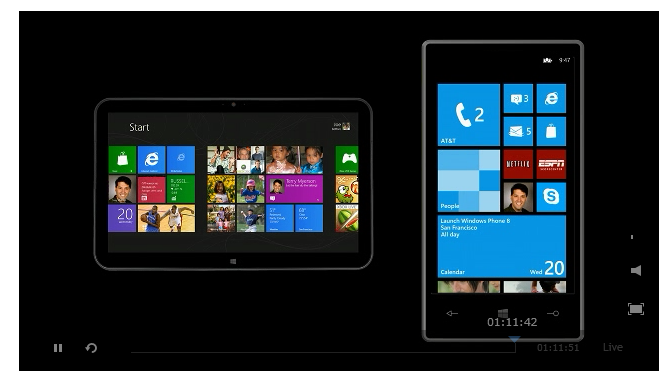
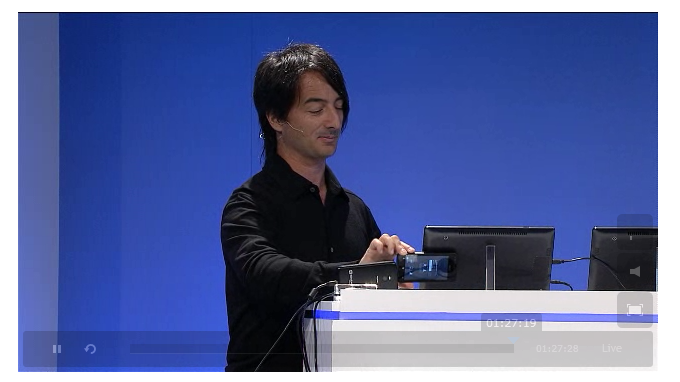
  • Below: Joe Belfiore demonstrating how you can tap your phone to your tablet to kick off a multi-player game! The devices create an ad-hoc peer-to-peer network connection for multi-player communications!
  • WP87
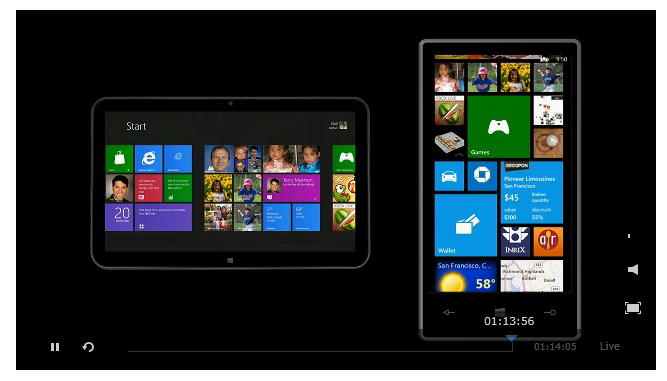
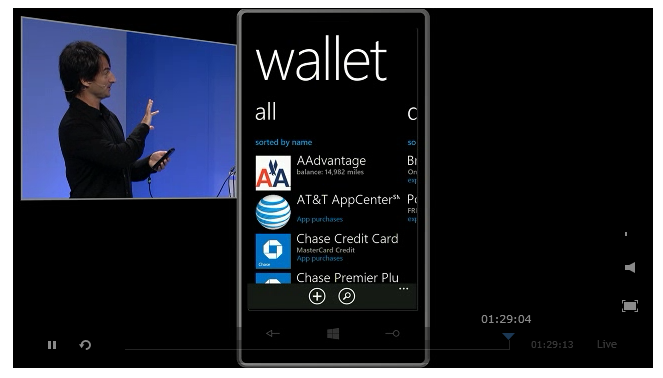
  • Below: Demo of the new Wallet Hub.
  • WP88
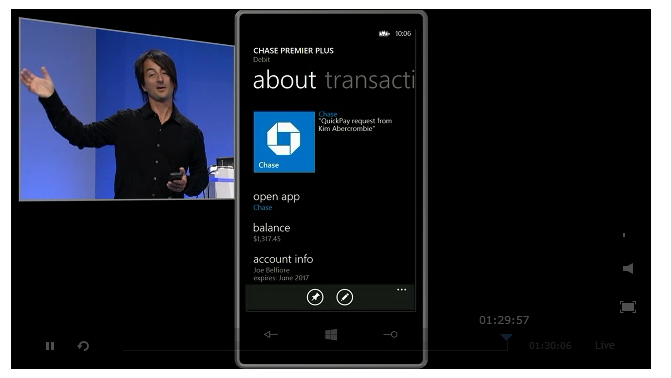
  • Below: Note the Chase bank details. If your bank allows, you’ll be able to check your balance FROM WITHIN the Wallet Hub. From there, you can click on the link to launch the actual bank app.
  • WP89
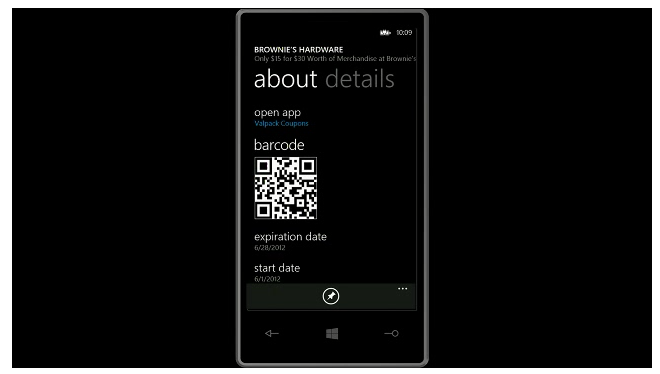
  • Below: Demo of the vouchers, deals and coupon integration with the new Wallet Hub.
  • WP8a
  • Local Scout now has integrated Deal Cards – basically they are digital coupons. You can add these coupons to your Wallet Hub, or share them with other people…
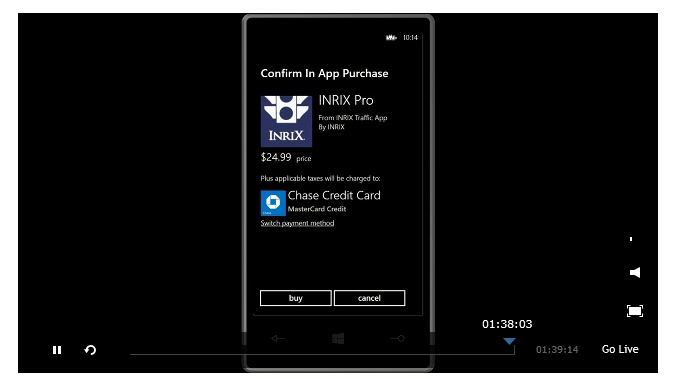
  • In-app purchases are allowed. In-app and Marketplace purchases can be integrated with the Wallet Hub, allowing you to choose your method of payment (see screenshot below).
  • WP8b
  • Windows Shared Core allows Direct3D on WP8 devices. Also, the networking comes from the W8 family – so expect improved Bluetooth. Not mentioned at the event, but it’s worth pointing out that, having NFC coupled with Bluetooth, will make connecting devices really easy!
  • Voice over IP and Video Chats are now natively supported by WP8. This means they can continue to function through multitasking, and also over a lock screen.
  • All WP7.5 apps will run on WP8. However, WP8 apps will not run on WP7.5 (not surprising, due to the switch from Windows CE to Windows Core).
  • It’s OFFICIAL now. WP8 WILL NOT be available for WP7 devices. There will be at least one more release for current hardware (Windows Phone 7.8), but you WILL NEED to buy a new device for WP8. This is not as bad as it sounds, as your existing device doesn’t have WXGA, NFC, dual-core, etc.
  • Nokia ToPlay (DLNA app), Nokia Counters (dashboard of notifications), Nokia Music 3.0 app refresh, Nokia “Camera Extras” (upgrade of core camera features) – all announced, and will be coming to existing Lumia devices.
  • Updates to Nokia Maps, Nokia Transport and Nokia Drive also announced.

…and that’s it for the moment! Keep your eyes peeled over the next two months for end-user feature announcements! Smile

…of Emoticons and Emoji

My goodness, I haven’t updated this blog for a while. The semi-shame… ;)  Anyway – this isn’t a real blog post, but more a useful reminder and reference to myself (and anyone else who comes across this) of the Emoticons that are built into Windows Phone.

If you want to find out more, read it direct from the Microsoft Windows Phone Blog…

Part 1: http://windowsteamblog.com/windows_phone/b/windowsphone/archive/2011/11/29/tip-tuesday-express-yourself-with-emoji.aspx

Part 2: http://windowsteamblog.com/windows_phone/b/windowsphone/archive/2011/12/06/tip-tuesday-more-fun-with-emoticons.aspx

Full Emoticons as follows:

Bieber Beliefs

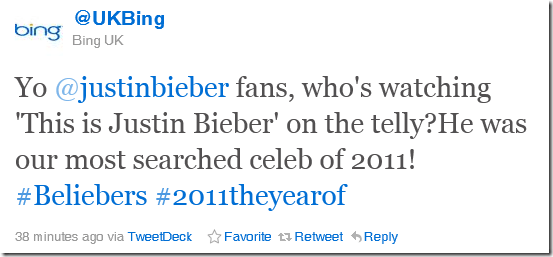
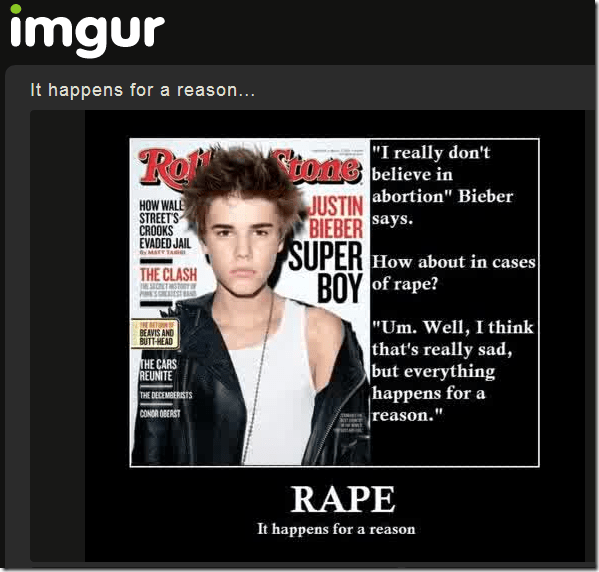
This exchange on Twitter amused me today…

image

image

My link referenced to this:

image

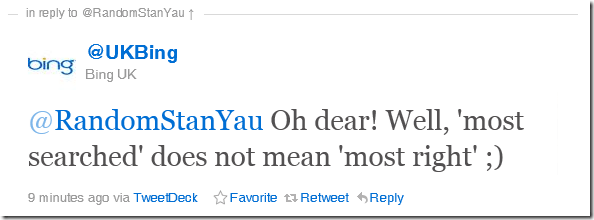
@UKBing followed up with:

image

It made me smile. Humanises the team behind Bing UK… 😉

A New Entertainment Experience

Everything you see in this video will be available before the end of this year… 😉

Yep – now there’s an alternative way to watch television broadcasts, movies on demand, radio, and music on demand…

For those in the UK, Microsoft have teamed up with the following content providers:

  • BBC (both TV and radio)
  • BSkyB
  • Channel 4
  • Channel 5
  • Last.fm
  • LOVEFiLM
  • MSN
  • Zune
  • AlloCiné
  • blinkbox
  • Crackle
  • MUZU.TV
  • VEVO

And yes… Those of us with Windows Phone 7.5 handsets are also getting a little extra (see the video at around the 1:00 mark).

Windows Phone 7.5 (AKA "Mango") is out!

(Actually, it’s Windows Phone 7.1, but in marketing-speak it’s "Windows Phone 7.5".  Just as "Windows 7" is actually Windows 6.1.  Microsoft likes making product names complicated.)

After several months of waiting (but, impressively, less than a year since I blogged about the original launch), Windows Phone has just had a major update.  Welcome to Windows Phone 7.5.


What Exactly is Windows Phone 7.5?

It’s the latest release of Windows Phone.  If you have a Windows Phone 7 device, then expect it to politely ask you to upgrade the software over the next week or two.  All current Windows Phone 7 devices are eligible for update (and if you weren’t aware – it’s free).

However, there are a few new hardware devices out there.  If you haven’t got a Windows Phone already, then I’d *highly* recommend getting one of these new devices – as they have shinier hardware (like a front-facing camera and faster processors) compared to the devices released a year ago.  If you already have a Windows Phone device, then you’re still going to see a lot of exciting new stuff anyway – so don’t feel too crestfallen… 🙂

There’s a lot to discover in Windows Phone 7.5 (find out more here), but let me step through the stuff that excites me most!

[Jump back to top]


It’s All About the People You Know, Not the Social Networks You’re In!

This is the major theme in Windows Phone – which is why Microsoft have gone so far as to make the Windows Phone slogan "Put people first".

When you think about your contacts on a mobile phone, do you *really* want to to have them scattered across your phone contacts, your Facebook contacts, your Twitter contacts and your LinkedIn contacts? Or would you rather deal with one list that meshes all of these details together?

The People Hub on Windows Phone does this (although you can, if you’re crazy, turn this off).  When you click on a contact, you can see what they’re up to in Facebook, or what they’ve tweeted in Twitter – all in a single view.

Oh – and you can use Groups to – well – group certain people together.  Like family, or close friends.  Selecting this group shows you only the social updates relating to these people, as well as allowing you to text or e-mail them all at once.  Nice!

Threads allows you to string your conversation with someone into a single view. So – I could chat with you on Live Messenger, then move to Facebook Chat, and finally to SMS as I head outside.  Your Windows Phone will stitch the conversation together in one place, saving you the hassle of jumping to different applications to view different pieces of your conversation.

The last big thing for me is the History View – when you look at any particular contact and pivot to their History, you see a nice summary of all of your interactions with this person. All your recent calls, e-mails, text messages and more!

History view in contacts

There you go! Put people first.

[Jump back to top]


Speech Commands

Speech commands might seem like a gimmick, but you’ll quickly realise how invaluable it is when you’re driving.  Also – it’s faster to dictate a text message than to tap one out, so I suspect some people will use it as a lazy/easy way to send text messages!  The speech recognition is also great – it’s already part of Windows Phone 7 and has been expanded upon in Windows Phone 7.5.

Seriously – test this over your hands-free the next time you’re in the car!

[Jump back to top]


Bing Search

Bing Search on Windows Phone is already quite snazzy, thanks to the context search.  Do a search for "McDonalds", for instance, and you’re presented with the current share price and list of internet results.  You can pivot to Local and it’ll show you all the nearby branches of McDonalds.  Pivot again to News and it shows all the recent news articles that feature McDonalds.

Similarly, searching for "BA1317" returns the flight status for British Airways 1317 – the departure time, scheduled arrival time and expected arrival time.  Much easier than navigating to a specific web site or launching a specific application.

Search on Windows Phone 7.5 takes this a step further.  Music Search works just like Shazam, but is much faster to launch and also provides you with links to the music at the Marketplace (which can then be streamed direct to the phone with your Zune Pass).

Vision Search is arguably cooler – scan barcodes, QR codes or Microsoft Tags straight from search.  Even better – scan book covers or CD covers to get search results!

Oh – and did you know it can do text translation as well?  All of this powerful search functionality with two simple finger-presses!

[Jump back to top]


SkyDrive

SkyDrive, if you didn’t already know, is your personal store on "the cloud".  It’s 25GB of free online storage which can be used to store and share your files.

Windows Phone 7.5 hooks up to SkyDrive in a couple of major ways.  First, you can set your phone to automatically store backups of any photos you take onto a private folder in SkyDrive.  This is a great way of keeping a backup of your images on the cloud, in case your phone suffers a terrible accident.  You can also choose to share those photos directly from SkyDrive, or to spend a few moments tagging people and captioning it, and then uploading to Facebook.

You can also store your Microsoft Office files on SkyDrive, and access them via your phone.  Handy for files on the move, but ultra-handy when you realise that any Office documents you have on SkyDrive can also be accessed on any PC, with any web browser, using Office Web Apps!

[Jump back to top]


…And So Very Much More!

I’ve only really just scratched the surface on the functionality offered by Windows Phone.  If you want to discover more, head to the comprehensive Help and how to page.

Also, jump into some of the community action to find out more:

If you want to find out more, or to see the phone in action, then give me a buzz! 😉

[Jump back to top]

Is Microsoft Falling *Into* Favour Again?

Interesting…  Microsoft posts a new blog entry about enhancements to File Copying in Windows 8, and the Interweb gets into a fairly excited tizzy!  Now bear in mind that File Copying – whilst utterly essential in an Operating System – is hardly a topic to get excited about.  However, judging by the coverage in various techie news sites – there’s definitely some pent-up enthusiasm for anything to do with Windows 8!  Monday’s post on USB 3.0 support was also similarly well covered.

As a long-time Microsoft proponent, there is definitely a sea-change in the perception of Microsoft and its products in recent years – especially around its consumer products.  Windows 7 and Office 2010 were really well received, Xbox 360 has been the best selling games console for over a year, and Windows Phone 7 has been universally lauded (although the commercial success has yet to materialise).

This is great news all-round, and I’m eager to see how warm a welcome the next wave of consumer products and technologies will receive!

Anyway – for the uber-geeks amongst us, feel free to get excited about File Copying here!

Figure 3 - Consolidated copy (more details view) Figure 4 - Pause (more details view)

Facebook… Twitter… Tools for Troublemakers and Terrorists?

Wow!

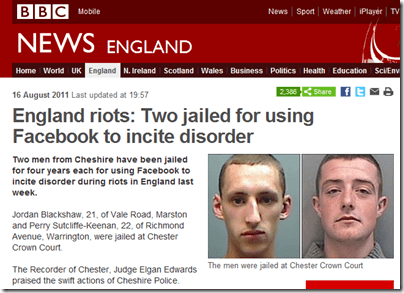
There’s been a lot of news in the UK recently about how “Social Networks” have become the new tools for anarchists, troublemakers and terrorists…

Just look at BBC News yesterday (click through for the full article):

image

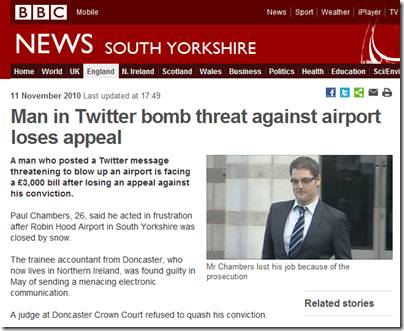
Twitter was also labelled a potentially dangerous tool, with police considering a temporary shutdown of the service:

image

So – it appears that, yet again, new technology is a large part to blame for the ills of today’s society.

What utter tosh!

It appears that the police, politicians and certain segments of the media have yet again failed to understand that technology is merely a medium for content.  Let’s face it – Facebook and Twitter help to connect people together – nothing more and nothing less.  If we had found out that certain subsets of the London rioters had coordinated their gatherings through (voice on) mobile phones, would we not scoff at the idea of the police proposing to shut down the mobile networks for a period of time?  So what makes Twitter exceptionally bad?  It’s just a different (and newer) medium of communication, after all…

I still remember the early days of the Internet – when the public and press were sceptical to this brave, new, connected world wide web.  Just over a decade ago, the Internet was perceived by some to be nothing more than a festering cesspit of porn, paedophilia and instructions on how to build bombs.  At least we’ve grown out of that mind-set!

Common sense dictates that if you find people inciting unrest on Facebook or Twitter, then you close down those particular accounts, not the medium.  Just as you’d take down a racism-inciting web or blog page, and not over-react by blocking the entire Internet.

Hopefully the stone-age technophobes come to their senses and understand that we shouldn’t be criticising the medium, but rather focussing efforts on those who are abusing the medium.  Facebook and Twitter are no different from mobile networks or anything broadcast over the airwaves – it’s just a newer, faster way of connecting people…

In short – I will be indignantly outraged if I read any more headlines like the one below

image